Kia Sportage: Description and Operation, Specifications, Troubleshooting, Schematic Diagrams | Components and Components Location
Kia Sportage Third generation (SL) - (2011-2016) - Service and Repair Manual / Emission Control System / General Information / Description and Operation, Specifications, Troubleshooting, Schematic Diagrams | Components and Components Location
Description and Operation
Description
Emissions Control System consists of thee major systems.
- The Crankcase Emission Control System prevents blow-by gas from releasing into the atmosphere. This system recycles gas back into the intake manifold (Closed Crankcase Ventilation Type).
- The Evaporative Emission Control System prevents evaporative gas from releasing into the atmosphere. This system bums gas at appropriate engine operating condition after gathering it in the canister.
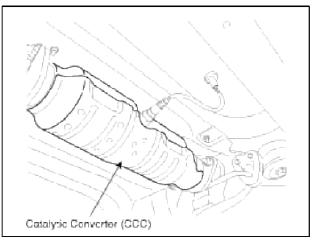
- The Exhaust Emission Control System converts the thee pollutants [hydrocarbons (HC), carbon monoxide (CO), and oxides of nitrogen (NOx)] into harmless substances by using the 3-way catalytic converter.
Specifications
Specifications
Purge Control Solenoid Valve (PCSV)
Specification

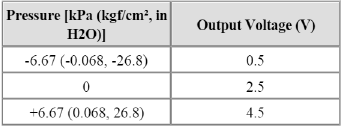
Fuel Tank Pressure Sensor (FTPS)
Type: Piezo-Resistive Pressure Sensor
Specification
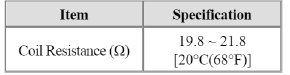
Canister Close Valve (CCV)
Specification
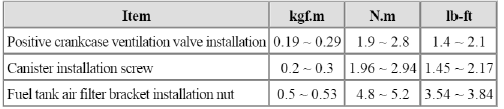
Tightening Torques
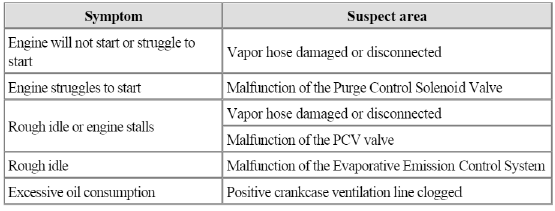
Troubleshooting
Troubleshooting
Schematic Diagrams
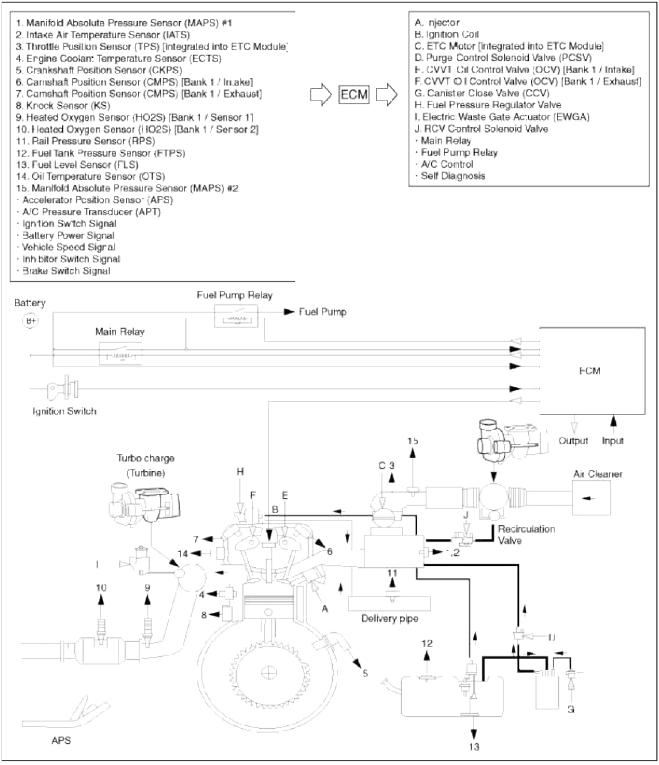
Schematic Diagram
Components and Components Location
Components Location
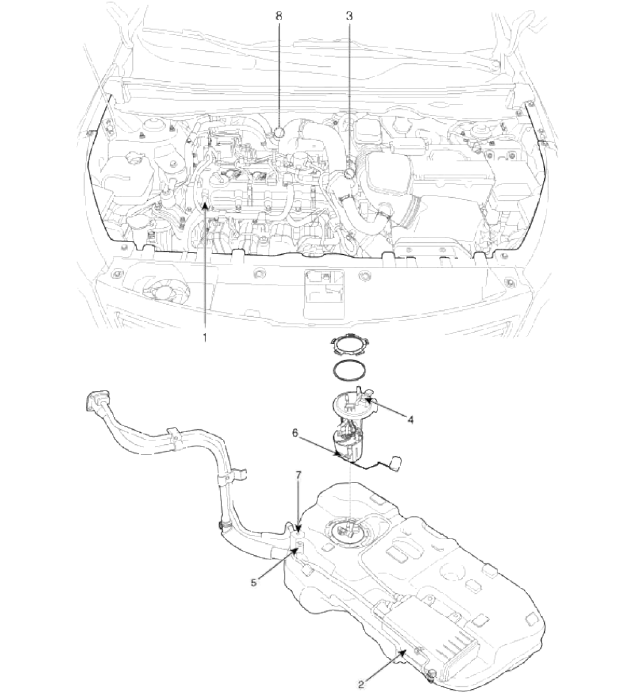
- PCV valve
- Canister
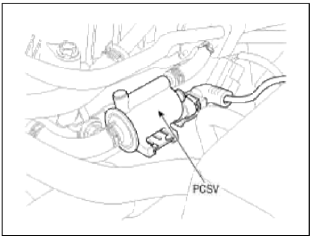
- Purge control solenoid valve (PCSV)
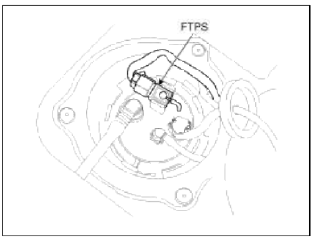
- Fuel tank pressure sensor (FTPS)
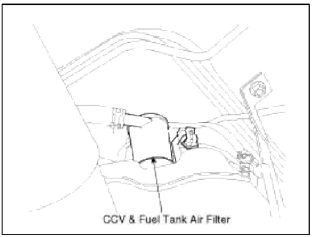
- Canister close valve (CCV)
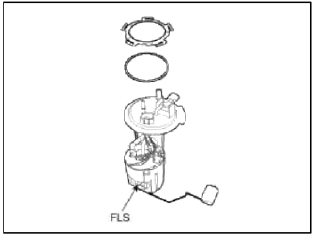
- Fuel level sensor (FLS)
- Fuel tank air filter
- Catalytic converter (CCC)
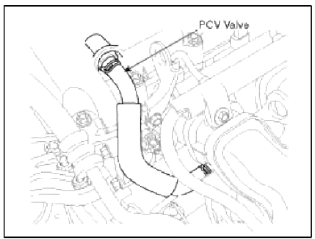
1. PCV Valve
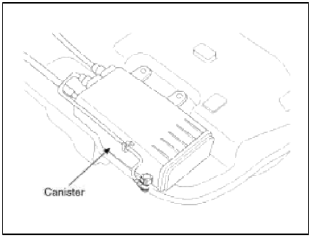
2. Canister
3. Purge Control Solenoid Valve (PCSV)
4. Fuel Tank Pressure Sensor (FTPS)
5. Canister Close Valve (CCV)
7. Fuel Tank Air Filter
6. Fuel Level Sensor (FLS)
8. Catalytic converter (CCC)
READ NEXT:
 Schematic Diagrams, Repair procedures | Positive Crankcase Ventilation (PCV) Valve
Schematic Diagrams
Schematic Diagram
Repair procedures
Inspection
1. After disconnecting the vapor hose from the PCV valve, remove the PCV valve.
2. Reconnect the PCV valve to the vapor
SEE MORE:
Components and Components Location | Front Seat Belt
Components
Front seat belt
Height adjuster
Rear seat belt
Rear seat belt [Center]
Rear seat belt buckle
Front Seat Belt
Repair procedures
Replacement
Front Seat Belt Replacement
CAUTION
When installing the belt, make sure not to damaged the pre
Polypropylene (PP) bumper repairability
The three types of damaged bumpers shown below can
be repaired. Because of cost and quality
considerations, bumpers with more damage may be
repaired, but replacing the bumper is encouraged.
1. If a hole on a bumper is less than 2 in.(50 mm).
2. If a crack on a bumper is less than 4 in.(100 mm
Content
- Home
- Kia Sportage - Fifth generation (NQ5) - (2022-2026) - Owner's Manual
- Kia Sportage - Second generation (JEKM) (2005-2015) - Body Workshop Manual
- Kia Sportage Third generation (SL) - (2011-2016) - Service and Repair Manual
- Sitemap
- Top articles
